
Every transaction tracked and accounted for
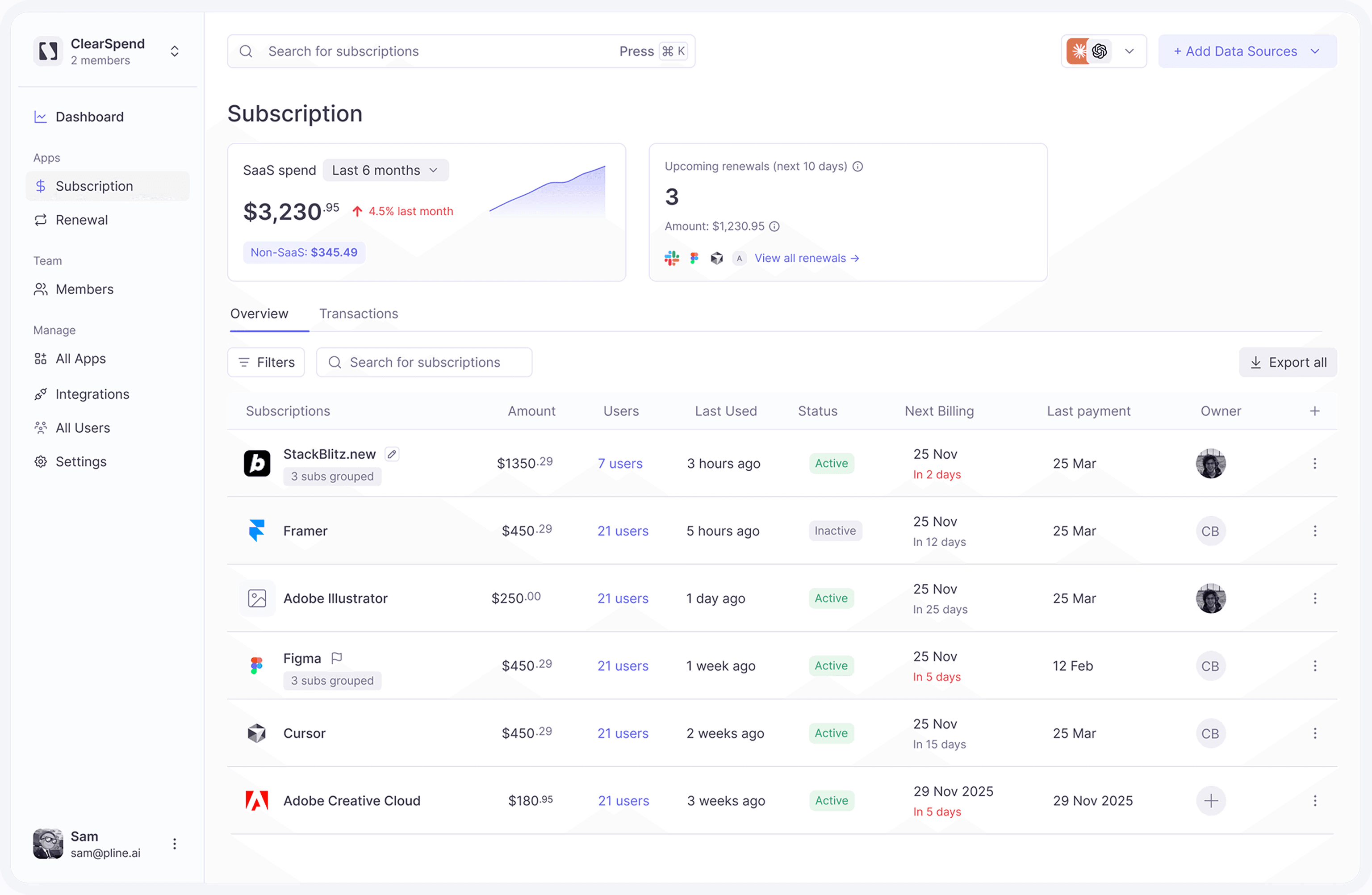
Eliminate blind spots in SaaS spend. Connect bank and card accounts via Plaid to match every charge to its subscription, invoices, and receipts—so nothing goes untracked.
Every transaction tracked and accounted for
Eliminate blind spots in SaaS spend. Connect bank and card accounts via Plaid to match every charge to its subscription, invoices, and receipts—so nothing goes untracked.
Every transaction tracked and accounted for
Eliminate blind spots in SaaS spend. Connect bank and card accounts via Plaid to match every charge to its subscription, invoices, and receipts—so nothing goes untracked.
Capabilities
What Plaid delivers
Visibility
Visibility of every charge
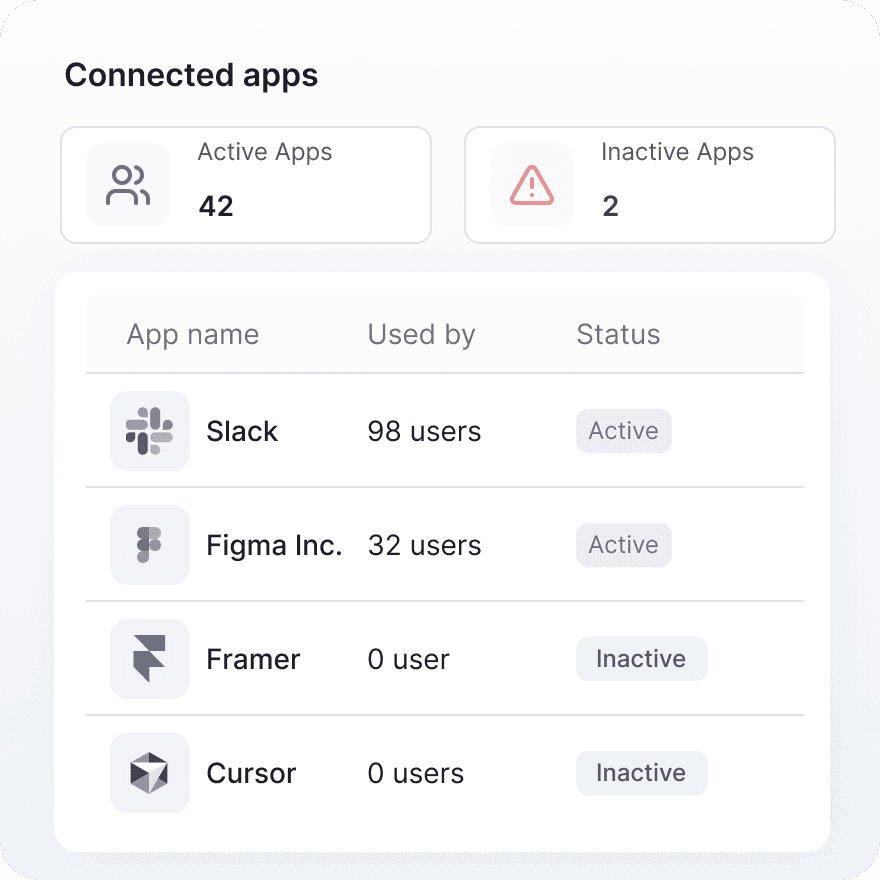
Every charge on your card statement shows up in ClearSpend, including recurring SaaS, team purchases, and card-paid tools that never sent an invoice to finance.
Reconciliation
Automatic reconciliation
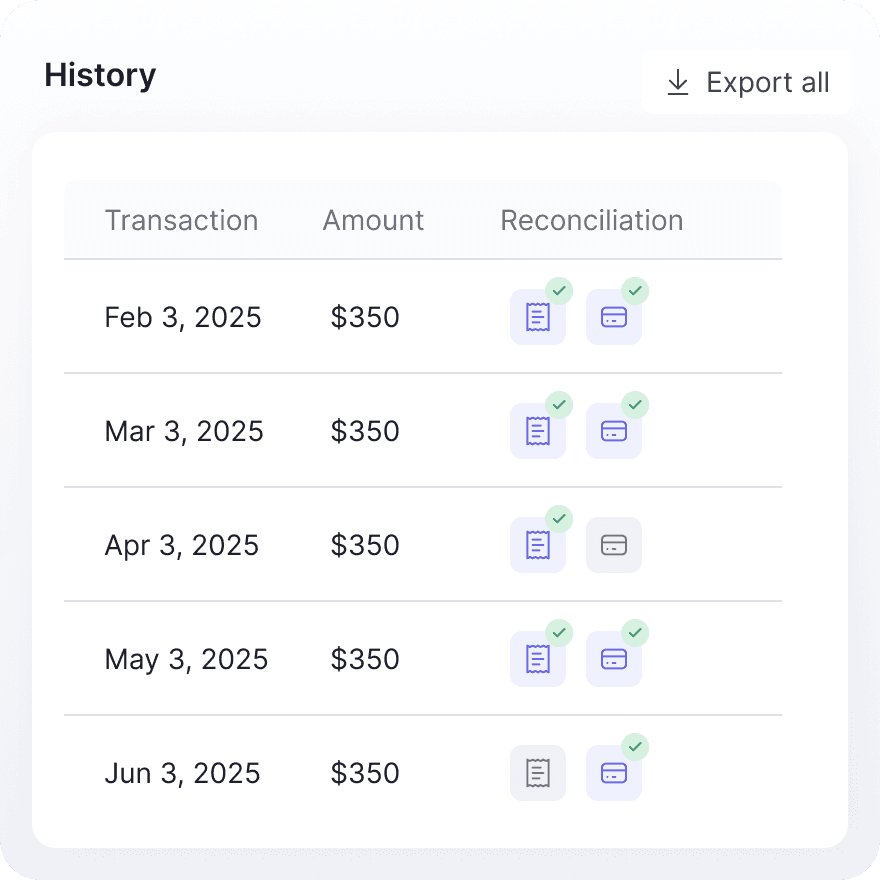
Each statement charge is matched to its invoice or receipt from Gmail, Drive, and uploads. See what is reconciled and what still needs proof, without manual spreadsheet matching.
Capabilities
What Plaid delivers
Visibility
Visibility of every charge
Every charge on your card statement shows up in ClearSpend, including recurring SaaS, team purchases, and card-paid tools that never sent an invoice to finance.
Reconciliation
Automatic reconciliation
Each statement charge is matched to its invoice or receipt from Gmail, Drive, and uploads. See what is reconciled and what still needs proof, without manual spreadsheet matching.
Capabilities
What Plaid delivers
Visibility
Visibility of every charge
Every charge on your card statement shows up in ClearSpend, including recurring SaaS, team purchases, and card-paid tools that never sent an invoice to finance.
Reconciliation
Automatic reconciliation
Each statement charge is matched to its invoice or receipt from Gmail, Drive, and uploads. See what is reconciled and what still needs proof, without manual spreadsheet matching.
Connect
How to connect your bank + ClearSpend
1
Open Integrations
Go to Manage → Integrations → Connect your card in the sidebar .
2
Click Connect
Click Connect. A Plaid modal opens to choose your institution.
3
Sign in with your bank
Complete Plaid’s authentication flow for the account or card you want to link. You can connect more than one institution over time.
4
Wait for the first sync
After linking, ClearSpend imports recent transactions and matches SaaS charges to subscriptions. The integration card shows the linked institution and last sync time.
Connect
How to connect your bank + ClearSpend
1
Open Integrations
Go to Manage → Integrations → Connect your card in the sidebar .
2
Click Connect
Click Connect. A Plaid modal opens to choose your institution.
3
Sign in with your bank
Complete Plaid’s authentication flow for the account or card you want to link. You can connect more than one institution over time.
4
Wait for the first sync
After linking, ClearSpend imports recent transactions and matches SaaS charges to subscriptions. The integration card shows the linked institution and last sync time.
Connect
How to connect your bank + ClearSpend
1
Open Integrations
Go to Manage → Integrations → Connect your card in the sidebar .
2
Click Connect
Click Connect. A Plaid modal opens to choose your institution.
3
Sign in with your bank
Complete Plaid’s authentication flow for the account or card you want to link. You can connect more than one institution over time.
4
Wait for the first sync
After linking, ClearSpend imports recent transactions and matches SaaS charges to subscriptions. The integration card shows the linked institution and last sync time.
Capabilities
Visibility and reconciliation, built in
See every charge on linked accounts and match each one to the invoice or receipt already in ClearSpend.


Capabilities
Visibility and reconciliation, built in
See every charge on linked accounts and match each one to the invoice or receipt already in ClearSpend.
Capabilities
Visibility and reconciliation, built in
See every charge on linked accounts and match each one to the invoice or receipt already in ClearSpend.

Get full charge visibility and automatic reconciliation when bank linking launches
Simplify web data extraction with Pline
Get full charge visibility and automatic reconciliation when bank linking launches
Security & privacy
Built for the data you're trusting us with
Read-only by design
Bank connections run through Plaid with read-only access — ClearSpend can see transactions but never move money or change anything.
Encrypted end to end
AES-256 at rest and TLS 1.2+ in transit protect data at every step.
Never sold, never trained on
We never sell your data and never use it to train AI or machine-learning models.
You stay in control
Disconnect your bank at any time from ClearSpend settings.
Explore ClearSpend
FAQs
Common questions about Plaid and ClearSpend
FAQs
Common questions about Plaid and ClearSpend
FAQs