





 Claude
Transaction
Invoice

ClearSpend AI brings your transactions, invoices, and receipts together, automatically matches each charge to its proof.
7-day free trial. No credit card required.
Works with




Transaction reconciliation
ClearSpend AI brings transactions and their proof together, so finance teams stop chasing receipts and start reviewing what matters.
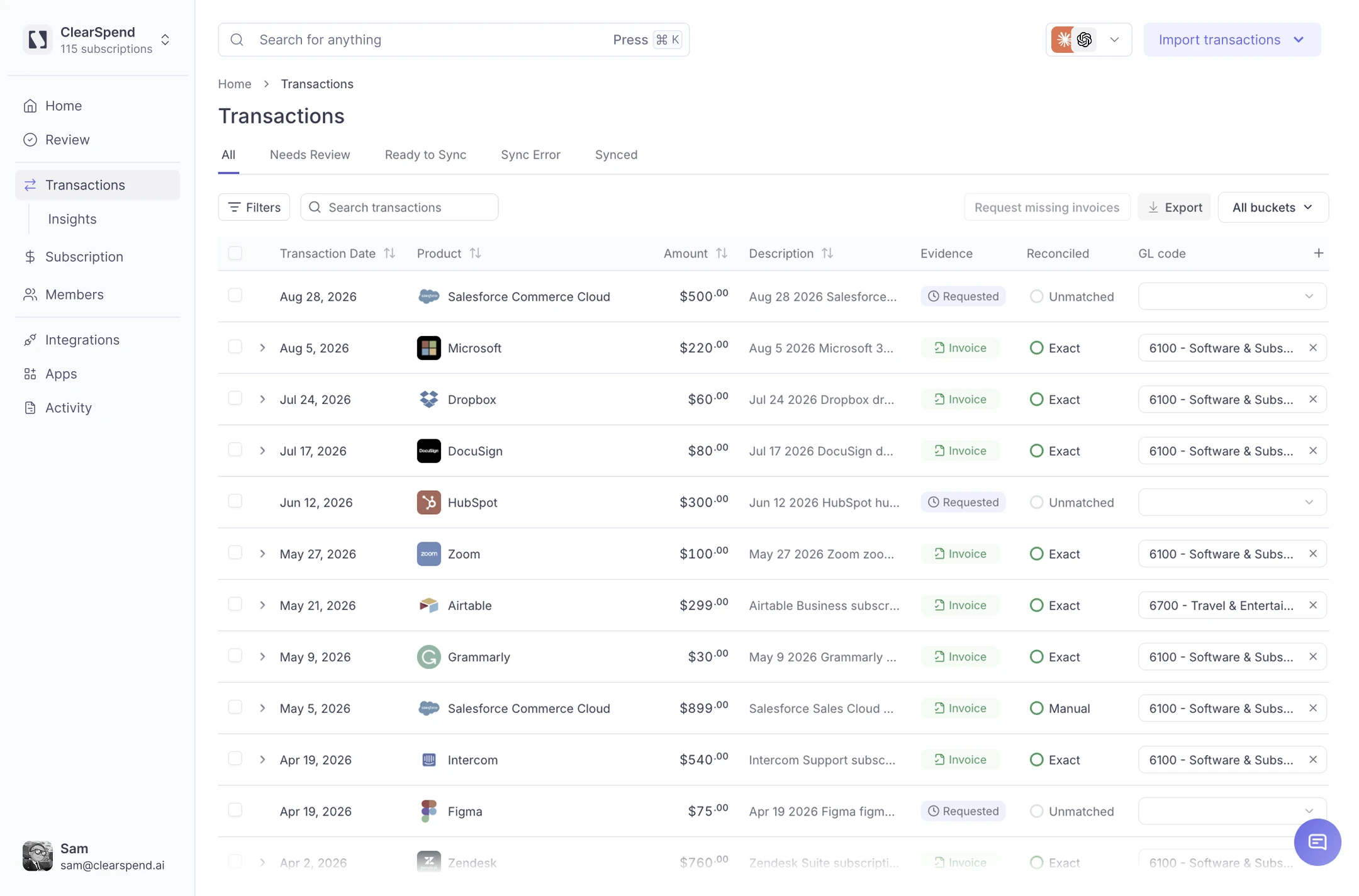
Stop spending hours manually matching invoices and receipts to transactions. ClearSpend AI does the repetitive reconciliation work for you.
Missing documents no longer mean endless emails and Slack messages. ClearSpend AI finds what it can and follows up for what's missing.
Instead of checking every transaction, your team focuses only on unmatched or uncertain records.
Keep transactions and their supporting documents connected, so the evidence you need is already organized when it's time to review.
How ClearSpend AI works
Bring in charges through Plaid, card statement uploads, Xero, or QuickBooks.
Connect Gmail and Google Drive or upload invoices and receipts directly.
Automatically identifies which invoice or receipt belongs to each charge.
ClearSpend AI follows up for missing documents and surfaces only what still needs your team's attention.
Two-way workflow
ClearSpend AI doesn't create another disconnected finance workflow. It works alongside the financial tools you already use.
AI assistant MCP
OAuth 2.1 authentication — no API keys to manage.Learn more
More from ClearSpend AI
See every recurring subscription in one place, know who owns it, and eliminate unnecessary spend.
Learn moreStay ahead of upcoming renewals with timely alerts, so you can review, cancel, or renegotiate before you're charged.
Learn moreAsk Claude or ChatGPT about renewals, subscriptions, and spend in plain English. One read-only MCP connection — no exports.
Learn moreIntegrations
Bring transactions and documents into ClearSpend AI from the systems where they already live.
Explore all IntegrationsFAQ
ClearSpend AI automates transaction-to-document reconciliation. It brings together your transactions, invoices, and receipts, automatically matches the relevant records, identifies missing proof, and helps collect what's outstanding.
Transactions can be brought into ClearSpend AI through connected sources such as Plaid, Xero, and QuickBooks, or through uploaded card statements.
You can connect Gmail and Google Drive or upload documents directly. ClearSpend AI identifies relevant financial documents and brings them into your workspace for matching.
No. ClearSpend AI is designed to focus on emails likely to contain relevant financial documents, such as invoices, receipts, and payment-related messages, rather than treating every message in your inbox as financial data.
ClearSpend AI identifies transactions without supporting documents and can follow up with the relevant owner to request the missing invoice or receipt.
No. ClearSpend AI works alongside your accounting system. It helps collect, organize, and match the supporting evidence behind transactions before the records reach the rest of your accounting workflow.